Intervals.icu for triathlon: a training plan run by an AI coach
Intervals.icu has become the go-to tool for self-coached triathletes: free, accurate and connected to almost every watch. But it still leaves you staring at an empty calendar. This guide covers what Intervals.icu does brilliantly, what it doesn't do, and how TriCoach AI plugs into it to write your swim, bike and run plan, adapt it every week and push it to your watch.

Why Intervals.icu became the backbone of self-coached triathletes
Intervals.icu pulls in every activity (Garmin, Coros, Wahoo, Zwift, Strava...) and turns it into useful numbers: training load, fitness, fatigue and form, plus heart rate, power and pace zones. For a triathlete it is one of the few tools that tracks all three sports in one view, with no mandatory subscription.
It is also a training calendar: a workout planned in Intervals.icu can flow automatically to your watch or smart trainer. In other words, Intervals.icu is the right plumbing. What is missing is someone deciding what goes through it.

- Free, with an optional supporter subscription
- Load tracking (fitness, fatigue, form) across swim, bike and run
- Custom zones per sport: heart rate, power, pace
- Planned workouts pushed to your watch or smart trainer
What Intervals.icu won't do for you: build the plan
Intervals.icu has a workout builder and importable plans, but it does not periodize your season for you. Splitting hours across three sports, placing base, build and taper blocks, moving a key session when Thursday falls apart: that is still on you.
That is where most people get stuck. A PDF plan doesn't move when your week goes sideways, and rewriting every session in Intervals.icu syntax takes time. The result: athletes with great data but a plan that ignores real life.
- No automatic periodization toward your goal race
- No adjustment when you miss or shorten a session
- Structured workout syntax you have to learn yourself
How TriCoach AI plugs into Intervals.icu
TriCoach AI is an AI triathlon coach built around Intervals.icu. It doesn't replace Intervals.icu: it uses it as the data source and as the delivery channel to your watch. You keep one analysis tool, and gain a coach that writes the plan.
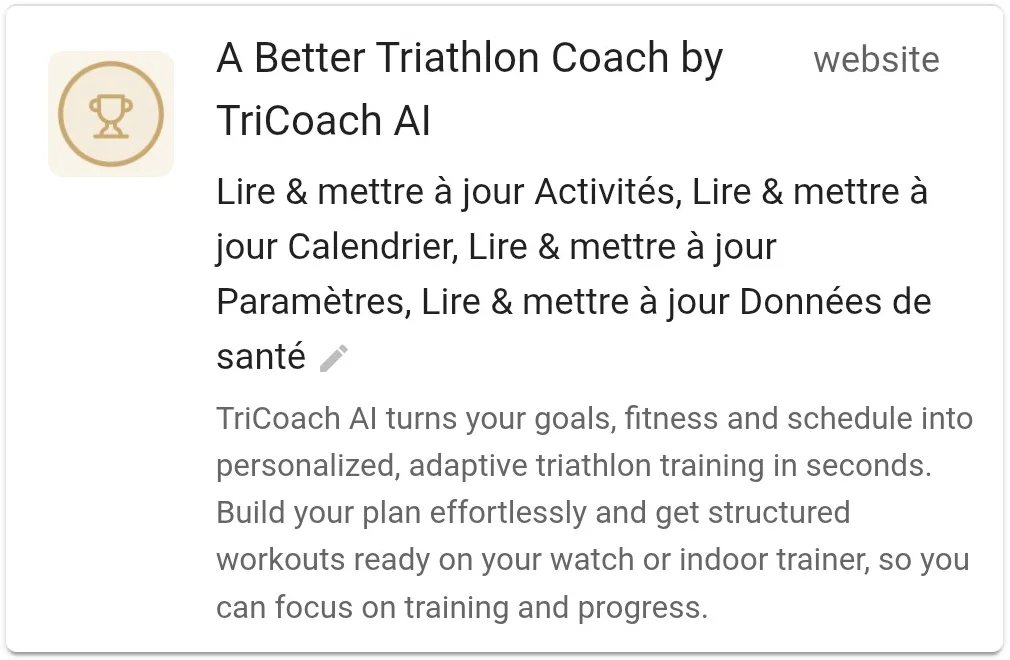
TriCoach AI is listed in the Intervals.icu app library as "A Better Triathlon Coach by TriCoach AI". It connects through Intervals.icu's official authorization: you see exactly what it can access (activities, calendar, settings, wellness data) and you can revoke it at any time.
1. It reads your activities and readiness
Every completed session flows from Intervals.icu into TriCoach AI. The coach compares what you did with what was planned (duration, intensity, sport) and accounts for your load and wellness data, such as sleep, when it is available.
2. It writes sessions into your Intervals.icu calendar
Tristan, the AI coach, builds your swim, bike, run and strength week from your level, availability and goal race, then pushes it to your Intervals.icu calendar in the proper structured workout format. Ask it to ease off a ride or move a long run and it adapts, but it pushes back on anything that would lead to overtraining.
3. Intervals.icu sends the sessions to your watch
Once in Intervals.icu, workouts follow your usual connections: Garmin Connect, Coros, Wahoo or Zwift, depending on what you enabled. You head out with the guided session on your wrist, and the activity flows straight back into the loop.
Connect TriCoach AI to Intervals.icu in 5 minutes
The connection is one click from the app, through Intervals.icu's official authorization: no password to share. If you don't have an Intervals.icu account yet, create one first and link your watch. It's free.
Then add your goal race (a sprint, an Olympic distance, a 70.3 or a full Ironman) and your thresholds. If you don't know them, the plan starts from estimates and includes tests to refine them, as explained in our heart rate zones guide.
- Create your Intervals.icu account and link your watch (Garmin, Coros, Wahoo...)
- Open TriCoach AI and start the 14-day free trial, no credit card
- Click "Connect Intervals.icu" and approve access
- Enter your race, availability and level
- Generate your week, push it to Intervals.icu, then sync your watch
Garmin, Coros, Wahoo, Zwift: what actually reaches your device
Garmin is the easiest: turn on planned workout uploads in Intervals.icu settings and the next days of sessions show up in your Garmin Connect calendar, then on your watch at the next sync. Zwift and Wahoo also pick up planned bike workouts for your smart trainer or head unit.
With Coros, Intervals.icu sends planned workouts in blocks of a few days, but some users report sync hiccups on the Intervals.icu forum. Check after your first week that sessions really appear in the Coros app before relying on them on race week.
- Garmin: structured swim, bike and run workouts
- Zwift and Wahoo: bike workouts on the trainer or head unit
- Coros: sync available, double-check after the first week
Intervals.icu alone, a PDF plan or an AI coach: which one?
Intervals.icu alone works if you already know how to write and periodize sessions. A PDF plan gives structure but ignores fatigue and life: you can grab one for free from our triathlon training plans, for example our half Ironman plan.
An AI coach connected to Intervals.icu gives you both: Intervals.icu-grade data and a plan that rewrites itself every week based on what you actually did. It is the simplest option if you want to stop juggling a spreadsheet, a PDF and your watch.
- You enjoy building everything yourself: Intervals.icu alone
- You want a fixed, free framework: a PDF plan for your distance
- You want a plan that adapts without eating your evenings: AI coach + Intervals.icu
Plug your Intervals.icu into an AI coach
Your triathlon plan written and adjusted every week, delivered to your watch through Intervals.icu. 14-day free trial, no credit card.
Connect Intervals.icu